12 October 2026
Database Seeder in TypeScript: Build Repeatable, Safe Seed Scripts

TL;DR
A database seeder populates an existing schema with known rows. For a repeatable TypeScript seeder, define stable record identities, separate essential data from demos, write parents before children, run only against an approved database, and check that a second run leaves the intended data unchanged. We will build a small db3.ai example that seeds an isolated SQL database twice and verifies the result.
Opening a fresh development database should not mean manually creating the same workspace and notes again. A good seed script gives us a predictable starting state for a feature, a test or a demonstration. The harder part is not inserting rows; it is making the script safe to rerun when the schema and application change.
A database seeder writes data after the relevant tables exist. A migration changes the schema; a fixture usually supplies data scoped to an individual test; a production import brings in externally sourced records and needs its own validation and reconciliation. Seeders can supply reference values, local sample records and disposable test data, but those uses should not share an indiscriminate command. Laravel's official seeding guide, for example, separates seed classes, permits ordered calls to other seeders, and supports factories. We will apply the underlying ideas to a TypeScript application rather than assume one framework's CLI applies everywhere. Laravel's seeding documentation describes that approach.
Prerequisites: For the runnable lab below, use Node.js 24, npm, the matching preview tarballs for @db3.ai/app and @db3.ai/pure, a local MariaDB/MySQL server, and a dedicated test account allowed to create and drop only test-namespaced databases. The framework's installation guide explains the current preview setup. You also need to control the connection settings and have permission to create disposable databases. We do not use production credentials or an existing application database. This example adapts documented application code; run its checks against your installed package before treating it as validated in your environment.
Table of contents
- 1. Define what your seeder owns
- 2. Prepare an isolated database with the right schema
- 3. Write a deterministic seed function
- 4. Run the seed twice and verify persisted values
- 5. Add related records in dependency order
- 6. Keep the seeder aligned with migrations and tests
- Sources
- Recommended Reads
1. Define what your seeder owns
Start with three inventories: required reference rows, local or demo rows, and test-specific fixtures. A country code or permission name that the app genuinely requires belongs in a small, reviewed baseline. Sample users, organizations and activity belong in an optional demo layer. A test that needs one invalid invoice should build that fixture in the test, not change a shared global seed.
Give each seed-owned record a stable key: a documented code, an organization slug, or an email under a reserved example domain. Use that key for lookup and verification. Avoid looking up a generated primary key from a previous run, and avoid random values in assertions. Consistent does not have to mean implausible: a demo workspace can have a realistic project and two distinct roles without borrowing real customer data or working credentials.
We can express the procedure as a simple chain: apply the schema, seed parent records, seed dependent records, then verify counts and values on a second pass. Keep the disposable database isolated throughout.
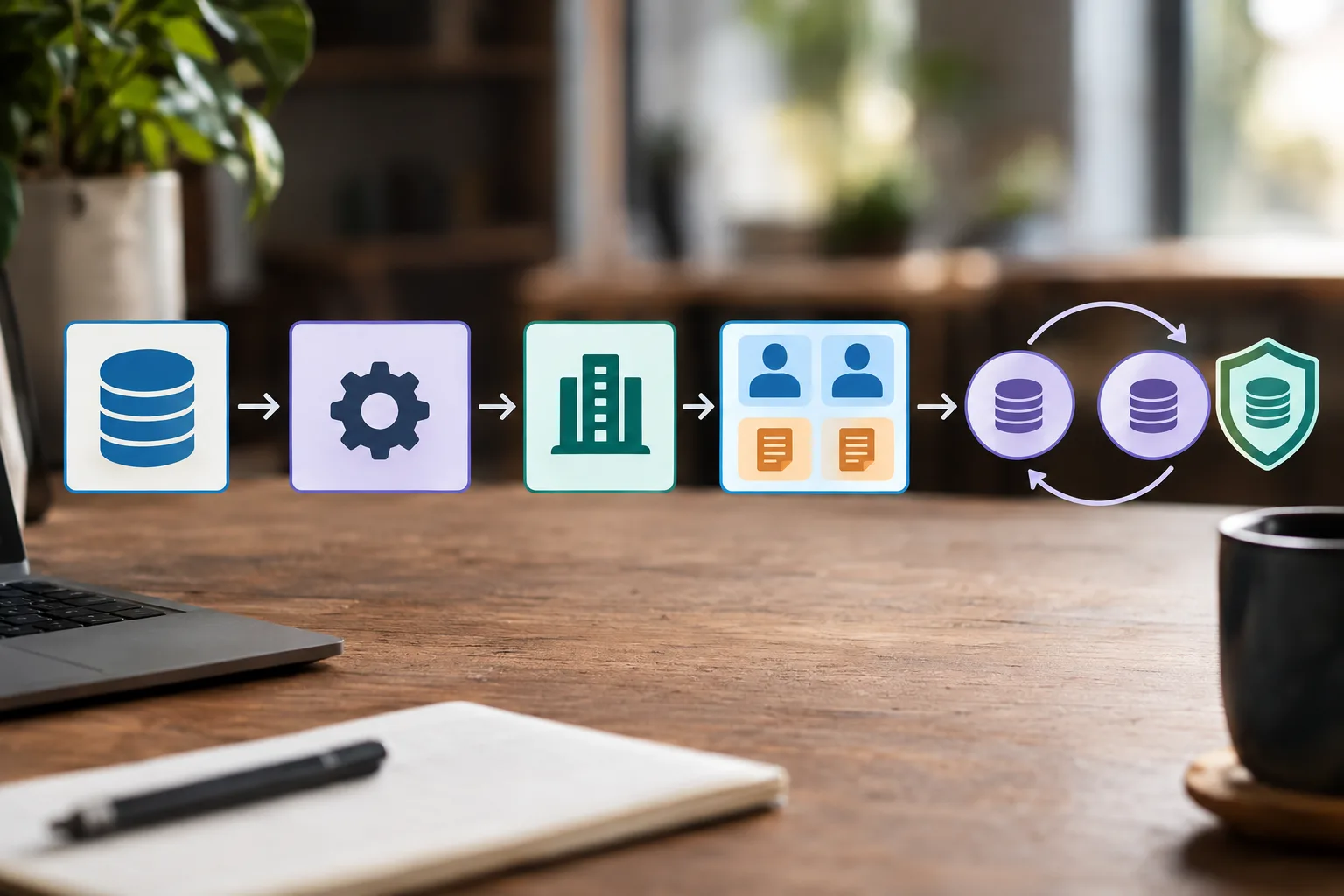
Expected result: Each dataset has a purpose, stable lookup keys and an owner. If nobody can say whether a row is baseline or demo, decide that before writing the insert.
2. Prepare an isolated database with the right schema
Create a separate application directory, install the matching preview packages supplied by the maintainer, and copy the documented KnowledgeNote model. This is a small lab, not a claim that the framework has a built-in seeder command. The package is still described as pre-release in its installation instructions.
mkdir db3-seed-lab
cd db3-seed-lab
npm init -y
npm pkg set type=module
npm pkg set private=true --json
npm install /path/to/db3.ai-pure-0.1.0.tgz /path/to/db3.ai-app-0.1.0.tgz
npm install --save-dev tsx@^4 typescript@^6 @types/node@^24
mkdir examples
cp node_modules/@db3.ai/app/src/db/examples/KnowledgeNote.ts examples/
Put the following settings in a local .env file, replacing the account placeholders. Exclude .env from version control. Review both your shell and .env: DATABASE_URL can override the DB_* connection values, so unset it if it does not point to this test server. Restrict the SQL account's grants to the test namespace, rather than trusting a code-level environment check to protect production. The documented SQL lab setup uses this configuration.
DB_CONNECTION=mariadb
DB_HOST=127.0.0.1
DB_PORT=3306
DB_USER=your_test_user
DB_PASSWORD=your_test_password
DB_DATABASE=db3_app_test
DB_TEST_DATABASE_PREFIX=db3_app_test
The example below uses createGeneratedTestDatabase() to create a named disposable database, calls Database.install() only inside that lab, and destroys the database in finally. In a persistent application, apply reviewed migrations before seeding instead of installing tables at application startup. The db3.ai migration workflow describes generation, review, application and schema checks separately. A connection error here usually means wrong TCP credentials, missing create/drop grants or a database server that is not running; do not “fix” it by switching to production credentials.
Expected result: A test-only connection is ready, and the model can be installed into a database the lab owns.
3. Write a deterministic seed function
Save the following as examples/seedNotes.ts, next to the copied KnowledgeNote.ts. The model already defines a workspace field, title and body. We use one known workspace ID and a title as lookup values, then update only records this script treats as its own. The first note is our lab's baseline; the second appears only with --demo. The imports, model query and save methods, disposable-database helper, and transaction scope follow the documented notes workflow, query guide, and transaction recipe.
import assert from 'node:assert/strict';
import { ActiveRecord } from '@db3.ai/app/db';
import { createGeneratedTestDatabase } from '@db3.ai/app/db/test/db';
import { App } from '@db3.ai/app/server';
import { KnowledgeNote } from './KnowledgeNote';

const WORKSPACE = '01ARZ3NDEKTSV4RRFFQ69G5FAV';

async function ensureNote(title: string, body: string): Promise<void> {
  const existing = await KnowledgeNote.where({ workspace: WORKSPACE, title }).first();
  if (existing) {
    if (existing.body !== body) {
      existing.assign({ body });
      await existing.save();
    }
    return;
  }

  await KnowledgeNote.create({ workspace: WORKSPACE, title, body }).save();
}

async function seedOnce(application: App, includeDemo: boolean): Promise<number> {
  await application.db.knex.transaction(transaction =>
    ActiveRecord.withDb(transaction, async () => {
      await ensureNote('Client brief', 'Prepare the proposal.');
      if (includeDemo) {
        await ensureNote('Release walkthrough', 'Review the demo workspace.');
      }
    }),
  );
  return KnowledgeNote.where('workspace', WORKSPACE).count();
}

async function main(): Promise<void> {
  // A deliberate opt-in; the test-only SQL account remains the main protection.
  if (process.env.SEED_DISPOSABLE_DB !== 'yes' ||
      process.env.NODE_ENV === 'production' || process.env.DATABASE_URL) {
    throw new Error('Use an approved disposable database without DATABASE_URL.');
  }

  const database = await createGeneratedTestDatabase('seed_lab');
  let application: App | undefined;
  try {
    application = new App({ db: database.db });
    await application.db.install(KnowledgeNote); // Disposable lab only.
    const demo = process.argv.includes('--demo');
    const first = await seedOnce(application, demo);
    const second = await seedOnce(application, demo);
    const rows = await KnowledgeNote.where('workspace', WORKSPACE)
      .orderBy('title', 'asc').all();
    const titles = rows.map(row => row.title);
    assert.equal(first, demo ? 2 : 1);
    assert.equal(second, first);
    assert.deepEqual(titles, demo
      ? ['Client brief', 'Release walkthrough']
      : ['Client brief']);
    console.log(JSON.stringify({ first, second, titles }));
  } finally {
    try { await application?.close(); }
    finally { await database.destroy(); }
  }
}

await main();
We choose explicit values rather than a random factory for this core check. A seeded random generator with a fixed seed can produce more varied demo records, but its output still changes when generation order or rules change. Keep stable business keys and assert meaningful properties even if you use a deterministic generator for optional volume data.
The transaction groups each pass's writes. If a write rejects, let the error reach the transaction callback so the preceding writes can roll back. That does not make a read-then-create operation safe when two processes race. This model example has no demonstrated unique constraint on (workspace, title); add a database-enforced unique key and a dialect-appropriate atomic upsert or controlled single-writer execution before using this approach for concurrent, persistent seeding. Do not run the demo layer against customer records. The transaction recipe explains the rollback and concurrency limits.
The second dataset stays visibly optional rather than hiding demo records inside baseline initialization.

Expected result: A sequential second pass finds the same rows and preserves the expected count. Unexpected duplicates or validation errors stop the script instead of being silently swallowed.
4. Run the seed twice and verify persisted values
Run from the lab directory in a POSIX shell, after reviewing the test account and confirming DATABASE_URL is absent from both the shell and .env. The explicit flag prevents accidental invocation without an opt-in. Both passes run against the same temporary database within one command; the next command creates a fresh one.
SEED_DISPOSABLE_DB=yes npx tsx examples/seedNotes.ts
SEED_DISPOSABLE_DB=yes npx tsx examples/seedNotes.ts --demo
npx tsc --noEmit --target ES2022 --module ESNext --moduleResolution Bundler --types node --skipLibCheck examples/*.ts
For the first command, look for first: 1, second: 1 and the Client brief title. With --demo, the respective counts should be 2, and both titles should appear. These are expected checks for this example, not a claim that the newly composed script has been executed here. An assertion failure is useful: inspect the actual table, model validation and the connection rather than weakening the check. A failing type check may mean the local preview tarballs and copied example are from different versions.
For a real integration suite, run the seeder after a fresh, migrated test database is created, then exercise the feature through its public boundary and check persisted rows. Tear down only the owned database. db3.ai's testing guidance calls for real database checks and cleanup, not a mock ActiveRecord standing in for storage. A killed process may leave a generated database; inspect its exact name before manual removal.
Expected result: Two consecutive runs produce the same intended records, and the cleanup path removes the lab database after a normal exit.
5. Add related records in dependency order
The note lab uses a fixed workspace identifier, not a real workspace table. For a full product, create the organization first, then users, membership or permission rows, and finally organization-owned notes. After each parent insert or lookup, pass its actual persisted ID to dependent rows. Enforce foreign keys in the schema; a plausible-looking ID constant is not proof that a parent exists.
A useful data builder can specify organizationSlug, userEmail, roleCode and note titles as stable inputs. Map those to IDs only after reading or writing their respective parents. For example: ensure the organization by slug; ensure two synthetic users by unique email; ensure membership by the organization/user pair; then ensure notes by their organization and a stable note key. Keep all writes in one database transaction when they form one logical seed unit. For larger demo datasets, batch deliberately, log progress and plan recovery from a partial batch instead of assuming a single huge transaction is always appropriate.
Do not seed passwords as plaintext or reuse a real person's email. If login is necessary for a local demo, create synthetic accounts using the application's supported password-hashing and auth flow, and keep sample credentials out of production. A reference-data seed for production deserves a separate reviewed command and permissions; a --demo flag must never become an indirect production data import.
Expected result: Every dependent row points to a real parent and every lookup uses an intentional natural key or unique constraint. A foreign-key failure usually signals wrong ordering, a missing parent, or a stale schema.
6. Keep the seeder aligned with migrations and tests
When we add a required model field, we review the migration, update the builder or baseline values, and rerun the two-pass check on an empty database. We also test an upgrade path when existing data matters: a fresh install alone cannot show that a changed schema preserves old rows. The migration guide treats reviewed migrations and compatibility checks as separate work from disposable installation.
Before merging a seed change, use this short review:
- Confirm the target connection and permissions cannot reach a customer database.
- Keep required baseline, optional demo data and test-only edge cases separate.
- Check stable lookup keys and database uniqueness where concurrent runs are possible.
- Insert parents before children; verify ownership and foreign keys after seeding.
- Run the script twice; assert counts and meaningful values, not merely a successful exit.
- Recheck failure cleanup and update the seed whenever the schema or validation rules change.
A script that inserts one convincing note and then leaks a temporary database is not finished. Neither is one that passes once but duplicates every record on the next run. For your next slice, adapt the db3.ai notes lab to your own model in a disposable database, then add a real SQL behavior test before promoting any seed workflow into your application.
Sources
- Laravel: Database Seeding
- db3.ai: Install packages in an existing project
- db3.ai: Keep one workspace’s notes separate from another’s
- db3.ai: Query with logical fields
- db3.ai: Save related records together or not at all
- db3.ai: Change the schema without losing the data
- db3.ai: Test the feature a developer will use