4 November 2026
JavaScript Application Framework: 4 Options by Scope

TL;DR
Choose a JavaScript application framework by the work it covers, not by its label. Our shortlist represents four different scopes:
- Vue: A component-based UI framework when the backend is a separate decision.
- Express: A minimal HTTP framework when your team wants to compose the surrounding services.
- Next.js: A React application framework when pages and frontend-facing server endpoints belong together.
- db3.ai: A TypeScript application runtime when data, authentication, files, background work, and AI need shared services.
These are not interchangeable products or a ranked leaderboard. Check the remaining responsibilities before committing.
A framework can make the first screen straightforward while leaving the rest of the product undecided. Where does identity come from? Which component owns persistent records? What happens when a report outlives the request that started it?
We wrote this comparison for TypeScript teams choosing a foundation for a full-stack product. Instead of scoring different tools as if they solve the same problem, we compare their scope and development model. The useful outcome is an ownership map: what the framework supplies, what you integrate, and what your application implements.
Table of contents
- What is a JavaScript application framework?
- How we compared the four options
- One feature exposes the boundaries
- 1. Vue: Own the interface, choose the backend separately
- 2. Express: Own HTTP handling, compose the product stack
- 3. Next.js: Bring React pages and server endpoints together
- 4. db3.ai: Share services across application and background work
- Make the final choice with an ownership checklist
- Start with one complete feature
- Sources
- Recommended Reads
What is a JavaScript application framework?
A JavaScript application framework provides structure and conventions for building application behavior. That structure may cover a browser interface, HTTP requests, or broader application services. MDN describes frameworks as libraries with opinions about how software is built.
A library usually supplies a capability you call. A framework also establishes patterns your code participates in, such as components, routes, or lifecycle boundaries. The distinction is useful, but it is not a completeness certificate. A UI framework can be a real framework without supplying a database or a durable worker.
Likewise, "full-stack" needs unpacking. Next.js describes itself as a React framework for full-stack web applications, while its backend-for-frontend guide says those backend capabilities are not a complete backend replacement. Spanning browser and server does not mean supplying every product subsystem.
How we compared the four options
We selected four documented products with distinct scopes: UI, HTTP server, React application, and broader application services. We reviewed official documentation rather than inferring features from labels. Numbering organizes the comparison; it does not imply preference or market share.
For each option, we assess the same criteria:
- Routing and UI: Browser navigation, server endpoints, rendering, or a combination?
- Data access: Prescribed persistence, database integration, or an open decision?
- Authentication: Supplied identity mechanics, recommended integrations, or application implementation?
- Background work: Where are jobs stored, retried, and executed after requests end?
- Deployment and cost: Which processes and services must you operate and fund?
- Composition: Which integrations and product policies remain yours?
A narrower framework can be preferable when your organization already has reliable identity, data, and messaging infrastructure. Integration matters only when it matches actual requirements. Do not count a capability twice because two components both advertise support for it; identify which one will own the behavior in your application.
One feature exposes the boundaries
Imagine a signed-in customer requesting a private report. The interface accepts a date range. The server validates it, checks workspace access, stores a report request, and hands expensive work to a worker. Later, the customer retrieves an authorized result.
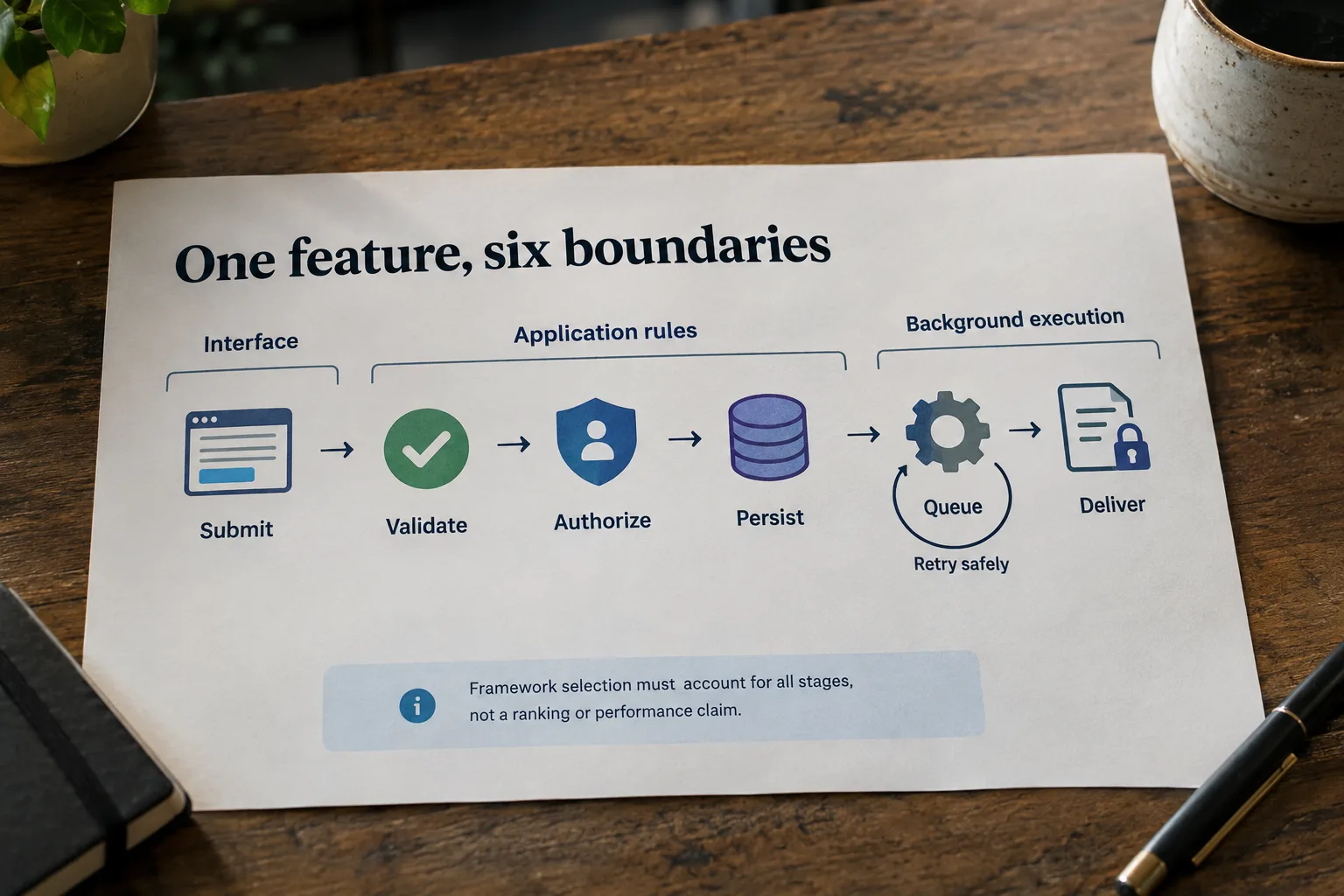
This hypothetical feature separates six responsibilities: submit, validate, authorize, persist, queue, and deliver. It does not assume any option implements them automatically.
The difficult question is often the handoff. If the report record is committed but queue dispatch fails, what recovers the request? AWS's transactional outbox guidance explains this dual-write problem and why consumers may still need idempotency. Using one framework does not automatically make two writes atomic.
1. Vue: Own the interface, choose the backend separately
Best fit: An interactive browser application over an existing or independently selected backend.
Vue's introduction describes a declarative, component-based UI framework built on HTML, CSS, and JavaScript. Its development model centers on components and reactive state. Its ecosystem supports single-page applications, server-side rendering, and full-stack usage.
For our report feature, Vue can own the form, pending state, errors, and result screen. That is substantial application work, but it is not the trusted server boundary. Evaluate persistence, credential verification, record authorization, and durable execution in the backend you pair with it.
UI-focused does not mean browser-only. Selecting Vue alone simply does not identify your entire server architecture. Check the additional framework or services that make that architecture work, including how browser credentials reach the server and how the client discovers a completed report.
Deployment and cost boundary: For a client-rendered build, plan frontend delivery and the backend separately. If you add server rendering, include its server deployment. We would choose Vue when the interface needs a coherent component model without replacing an established backend.
2. Express: Own HTTP handling, compose the product stack
Best fit: A deliberately thin Node.js HTTP layer with team-selected surrounding components.
Express describes itself as a minimal web framework, centered on routing and middleware. Its official FAQ makes the boundaries clear: Express does not prescribe application structure, has no database model of its own, and leaves authentication choices to the application.
For the report feature, Express provides the request-response entry point. Your validation, identity, persistence, and queue components supply other mechanics. Your application connects them and defines access rules.
That flexibility can benefit a platform team with approved infrastructure. It can create substantial work for a small team that has not chosen those systems. The question is not whether Express can participate in a full-stack product. It is whether your team wants to own the integration that makes the product coherent.
Deployment and cost boundary: Budget for the HTTP process plus the database, identity system, workers, and monitoring you select. We would choose Express when composition is intentional, not when a minimal framework is being mistaken for minimal total engineering work.
3. Next.js: Bring React pages and server endpoints together
Best fit: A React-led product whose rendering and frontend-facing server behavior should share a framework.
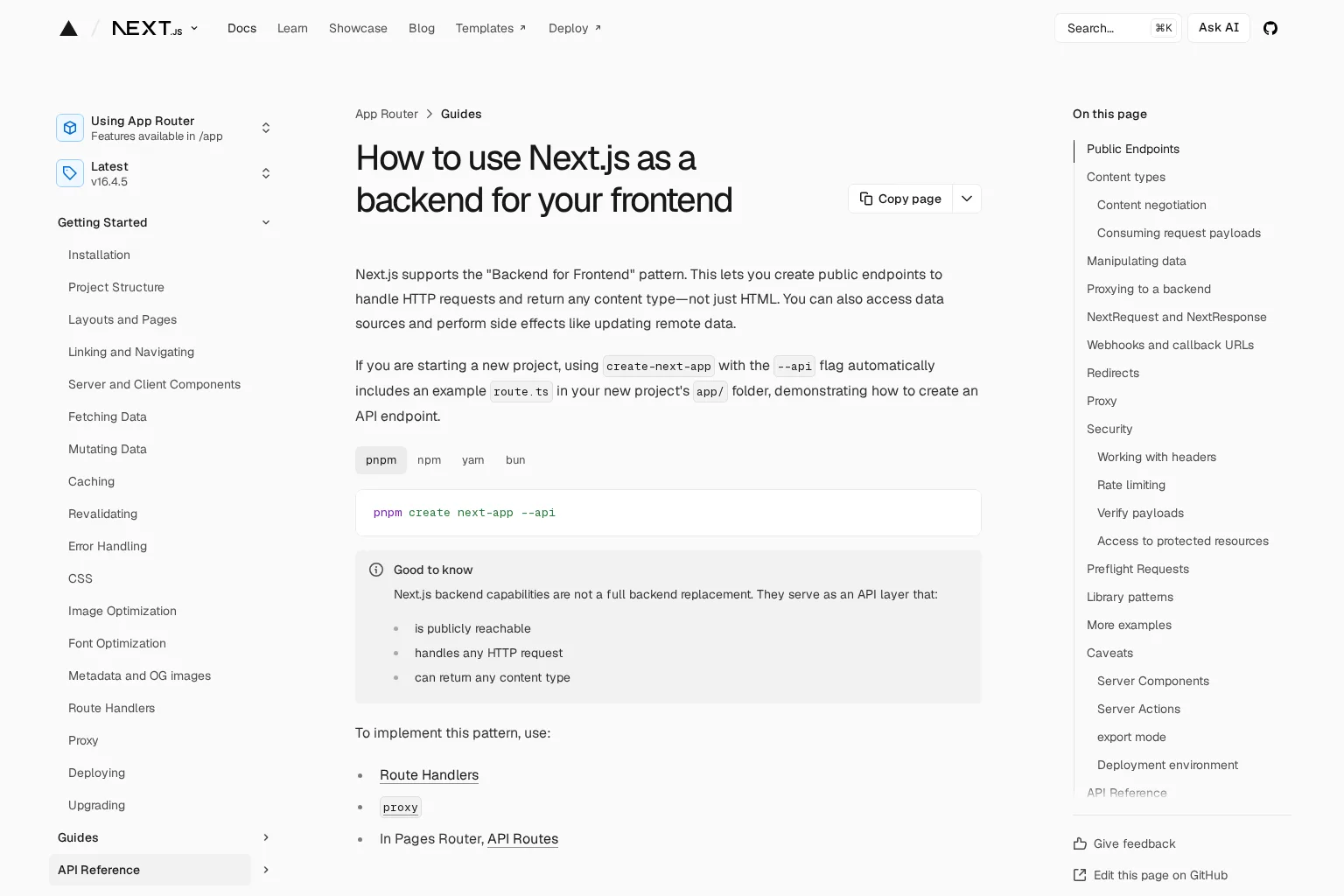
Next.js's documentation describes a full-stack React framework. Its backend-for-frontend guide documents Route Handlers for public HTTP endpoints, data access, and server-side effects.
For the report feature, that can put the screen and initiating endpoint in one application. It does not establish your persistence model, durable job system, or permission policy. Next.js's authentication guide distinguishes authentication, sessions, and authorization, and recommends an authentication library for greater security and simplicity.
We would inspect the worker handoff separately rather than treat a server-side function as evidence of durable execution. Ask what persists the request, what runs the job, and how retries avoid duplicate delivery. The guide's warning about not replacing a complete backend is an evaluation boundary, not a reason to dismiss its server capabilities.
Deployment and cost boundary: Next.js supports Node.js servers, Docker, static export, and platform adaptations. Its deployment documentation notes that static export cannot supply features requiring a server. Choose the deployment mode first, then account for database, identity, and job infrastructure separately.
4. db3.ai: Share services across application and background work
Best fit: A TypeScript team wanting common services across APIs, data, authentication, files, jobs, and AI features.
Our @db3.ai/app runtime supplies reusable service mechanics. Your application owns routes, models, organization membership, provider permissions, and business workflows. Product authorization remains explicit application work.
The starter documentation makes the composition concrete: it uses Vue, DOM Studio, Fastify, and the db3.ai framework. Vue and db3.ai can therefore belong in the same application rather than being mutually exclusive choices.
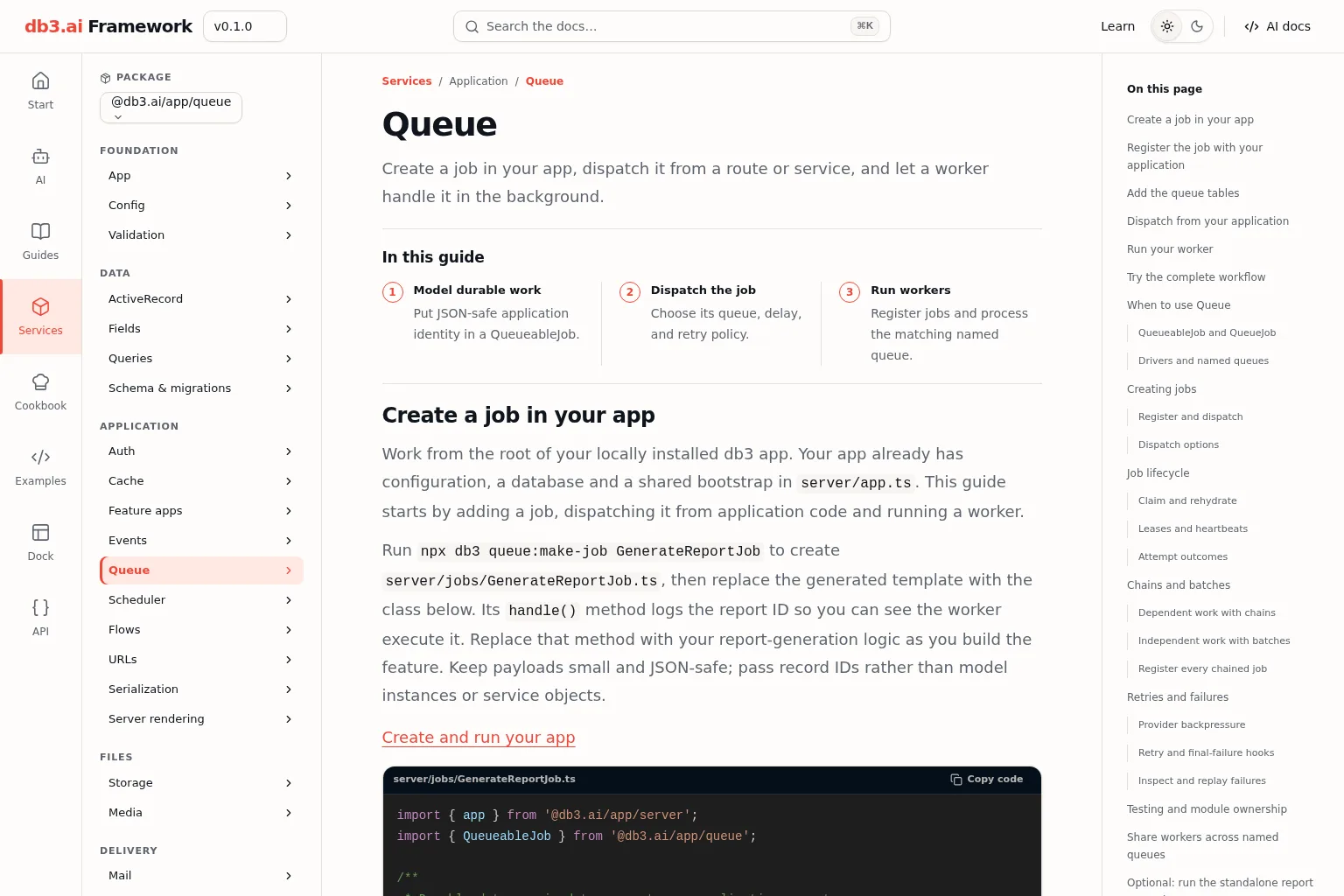
For the report feature, db3.ai provides a path from application code to a persistent queue and separate worker. The Queue guide covers job definitions, registration, database tables, dispatch, retries, and named workers. Your application still implements report generation and access rules.
Deployment and cost boundary: As checked on November 4, 2026, the installation guide describes an unpublished preview installed from matching maintainer-supplied tarballs. Walkthroughs use Node.js 24 or newer; database-backed features require MariaDB/MySQL. Confirm preview access before committing a project, and budget separately for infrastructure and providers. An unspecified package price is not a hosted-service allowance.
The App lifecycle guide specifies one active App per process and says closing it does not drain queue workers. Integration does not remove operational responsibilities.
Example: hand work to a report worker
This example adapts the documented Queue workflow. It logs receipt of a report ID; it does not generate a finished report.
Setup: Use matching v0.1.0 preview packages and a configured application database. Follow the Queue guide to add its tables, register the job in the shared bootstrap, and create its server/console.ts adapter. These snippets omit that bootstrap, database configuration, and a protected HTTP route.
Save this as server/jobs/GenerateReportJob.ts:
import { app } from '@db3.ai/app/server';
import { QueueableJob } from '@db3.ai/app/queue';

type ReportInput = Record<string, unknown> & { reportId: string };

export class GenerateReportJob extends QueueableJob<ReportInput> {
  constructor(input: ReportInput) {
    if (typeof input.reportId !== 'string' || !input.reportId.trim()) {
      throw new Error('A reportId is required');
    }
    super(input);
  }

  async handle(): Promise<void> {
    app().log.info(
      { reportId: this.data.reportId },
      'Report worker received request',
    );
  }
}
In the shared bootstrap, import the class and call application.queue.registerJob(GenerateReportJob) before returning the existing application. A separate worker needs that registration too; registration in the HTTP process alone is insufficient.
Save this helper as server/features/requestReport.ts:
import { app } from '@db3.ai/app/server';
import { GenerateReportJob } from '../jobs/GenerateReportJob';

export function enqueueReport(reportId: string) {
  return app().queue.dispatch(
    new GenerateReportJob({ reportId }),
    { queue: 'reports' },
  );
}
Call it inside a booted application after authorizing and persisting the report request. Its return value identifies queued work, not a completed report. Pass stable IDs rather than credentials, request objects, or model instances.
With the guide's console adapter, registration, and migrations ready, dispatch a job and process one available job:
npx tsx server/console.ts queue:dispatch GenerateReportJob '{"reportId":"weekly"}' --queue=reports
npx tsx server/console.ts queue:work --queue=reports --once
The worker should log the report ID. These excerpts were checked against documented preview APIs, not executed for this article. Add real report logic, ownership checks, and retry-safe side effects before treating this as a product feature. Keep one active App per process, and stop workers before closing the application.
Make the final choice with an ownership checklist
We would shortlist architectures before packages. If your backend exists, Vue may be the missing layer. If HTTP composition is the goal, trial Express. For a React-centered application with frontend-facing endpoints, inspect Next.js. If shared services and background execution are central, evaluate db3.ai with its preview constraints in view.
Then have both finalists implement the same report feature. Record evidence for six questions:
- Routing: Which component owns the screen and endpoint, and where is input rejected?
- Data: Who owns schema changes, transactions, and persisted report state?
- Identity: Where are credentials verified, and where is access to this particular report enforced?
- Background work: Can the request end and the worker restart without losing accepted work?
- Operations: Which processes must run, and what do deployment and graceful shutdown require?
- Composition: Which integrations, policies, and maintenance tasks remain yours?
Include a failed handoff and repeated job attempt. Also inspect how an operator identifies stuck work and how the customer distinguishes pending, failed, and complete results. A useful demonstration exposes those states rather than hiding them behind a loading indicator.
Keep the selection grounded in the team's actual constraints. An existing database, identity provider, deployment platform, or frontend skill set may outweigh the convenience of a new integrated service. Write down those constraints before the trial so that the criteria do not change to favor whichever demo looks most polished.
The preferred framework is the one whose ownership model your team can explain and operate. Preserve the trial's tests so future upgrades can be evaluated against the same behavior.
Start with one complete feature
If db3.ai's application-service model fits, begin with the preview installation instructions, then follow the Queue workflow after configuring the application and database. Keep the trial small enough to inspect, but complete enough to expose authorization, persistence, dispatch, and recovery. That is a better basis for selection than a successful first screen alone.
Sources
- MDN: Framework introduction
- Vue: Introduction
- Express: Overview
- Express: FAQ
- Next.js: Overview
- Next.js: Backend for Frontend
- Next.js: Authentication
- Next.js: Deploying
- db3.ai: Runtime package
- db3.ai: Starter
- db3.ai: Installation
- db3.ai: Queue
- db3.ai: App lifecycle
- AWS: Transactional outbox
Recommended Reads
- How to Create TypeScript APIs With Clear Boundaries, Authentication, and Tests: Build the protected request boundary behind your interface.
- Is Node.js a Framework? Two HTTP Servers Show the Difference: Examine runtime primitives and framework conventions through code.