27 October 2026
Is Node.js a Framework? Two HTTP Servers Show the Difference

TL;DR
No, Node.js is not a framework. It is a runtime that executes JavaScript outside the browser and provides facilities such as HTTP and filesystem access. A web framework such as Express adds ways to organize request handling; an application framework can add broader services. The difference becomes obvious when we build the same small endpoint with and without a framework.
If your team says it is “using Node.js,” that describes where server code runs, not how your routes, data, or permissions are organized. Below, I use one /status endpoint to separate those decisions. For a wider conceptual treatment, see our runtime-versus-framework overview; this article concentrates on the code boundary.
Table of contents
- What does Node.js do if it is not a framework?
- First, make an HTTP endpoint with Node.js alone
- Now add Express without replacing Node.js
- Where do TypeScript and frontend code fit?
- What changes when you add an application framework?
- When is a framework worth adding?
- Frequently asked questions
- Next step
- Sources
- Recommended Reads
What does Node.js do if it is not a framework?
Node.js describes itself as a JavaScript runtime. It runs the V8 engine outside a browser and supplies standard modules for network connections, HTTP, files, and other system work. Its asynchronous I/O facilities let a program wait for many operations without dedicating a JavaScript thread to each request. None of that decides which product URLs exist or who may read a particular record.
Think of four responsibilities, from foundation to feature: JavaScript or TypeScript expresses the code; Node.js executes it; a framework can organize recurring application work; your application defines its product behavior. They are not four required packages. A command-line script might have no web framework. A substantial product can have more than one layer of framework or library without changing the identity of the runtime. The Node.js introduction demonstrates an HTTP server using only its standard library, while Express calls itself a web framework for Node.js.

The diagram is a dependency map, not a claim that every application needs every band. In particular, an HTTP server is possible before you choose a router. What the runtime gives you is a capable starting point, not a preselected application architecture.
First, make an HTTP endpoint with Node.js alone
Here is a small server with no installed web framework. You need a locally installed Node.js version that supports ECMAScript modules. Save this file as server.mjs; the built-in node:http module supplies createServer(), incoming requests, and responses. The shape follows the official Node.js server example and its v24 HTTP reference.
import { createServer } from 'node:http';

const server = createServer((request, response) => {
  response.setHeader('Content-Type', 'application/json');

  if (request.method === 'GET' && request.url === '/status') {
    response.statusCode = 200;
    response.end(JSON.stringify({ status: 'ok' }));
    return;
  }

  response.statusCode = 404;
  response.end(JSON.stringify({ error: 'Not found' }));
});

server.listen(3000, '127.0.0.1');
Start it with node server.mjs. In another terminal, request curl -i http://127.0.0.1:3000/status. This example is intended to return a JSON status with HTTP 200; an unmatched path returns the deliberately written JSON 404. It has not been executed as part of this article. Binding to 127.0.0.1 makes this a local example, not a deployment recipe.
Notice the work we performed: check the method and raw request URL, choose status codes and a content type, serialize JSON, and end each response. The simple equality check intentionally does not treat /status?view=short as the same route. More endpoints would need a deliberate URL-matching policy. Incoming bodies also require their own parsing and size limits; Node's HTTP reference describes a low-level interface rather than an application-level body parser. Do not mistake this small demonstration for a hardened public API.
Now add Express without replacing Node.js
Stop the first server before using the same port. For this separate example, initialize a project with npm init -y, install express@5, and save the following as express-server.mjs. Express 5's installation guide and routing guide document this setup and its route methods.
import express from 'express';

const app = express();

app.get('/status', (_request, response) => {
  response.json({ status: 'ok' });
});

app.use((_request, response) => {
  response.status(404).json({ error: 'Not found' });
});

app.listen(3000, '127.0.0.1');
Run node express-server.mjs, then use the same curl request. The intended GET response is again JSON with HTTP 200. Express's app.get() matches a route and its response.json() sends a JSON response; the last middleware handles requests that reach it without matching the route. Express documents route matching and its response object. We have not executed this adapted example here.
The code got shorter because Express took ownership of an HTTP convention, not because it became a new programming language or runtime. Node.js still executes the server; Express works with Node's request and response objects, as its Hello World guide explicitly notes. Express does not decide your database schema, who may call /status, how to validate a future POST body, or what happens after a worker restarts. Those remain separate decisions. The two demonstrations also have deliberately narrow contracts; they are not a promise that every HTTP method or URL variation behaves identically in both servers.
Where do TypeScript and frontend code fit?
TypeScript adds static checking to code we write; it does not turn Node.js into a framework. Node.js can run files containing erasable TypeScript syntax using type stripping on supported versions, but it does not type-check them. Constructs that require generated JavaScript need an appropriate transformation step. Keep a TypeScript check in the development or CI workflow even if the runtime can start a .ts file directly. Node's native TypeScript guide describes both the supported syntax and those limits.
I used .mjs above to make the runtime/framework contrast independent of a TypeScript toolchain. In a TypeScript product, type information can help us maintain our handler contracts, but it cannot prove that an HTTP client's bytes satisfy them. Add runtime validation at the request boundary before treating client input as trusted application data. A router can help you place that check; it is not permission to omit it.
Frontend code is another boundary. React's documentation describes components that render user interfaces; it does not describe React as a Node.js runtime. A React application may use Node.js for development tools or server-side code, while browser-executed components run in the browser. Calling both technologies “JavaScript tools” does not give them the same job.
What changes when you add an application framework?
A product often needs more than route matching. We may want a place to configure services, isolate request-specific values, handle health reporting, and close owned resources. Those are application concerns above Node.js and, in many designs, above a web router. They are not features you acquire just by installing the runtime.
Our minimal HTTP app guide gives a concrete TypeScript example. It pairs Fastify's HTTP server with @db3.ai/app for the application service hub: the consuming application owns its greeting route, the framework owns shared configuration and request context, and the server closes the framework instance on shutdown. The App lifecycle guide makes a crucial boundary explicit: App is not itself an HTTP server, and the active instance is process-global.
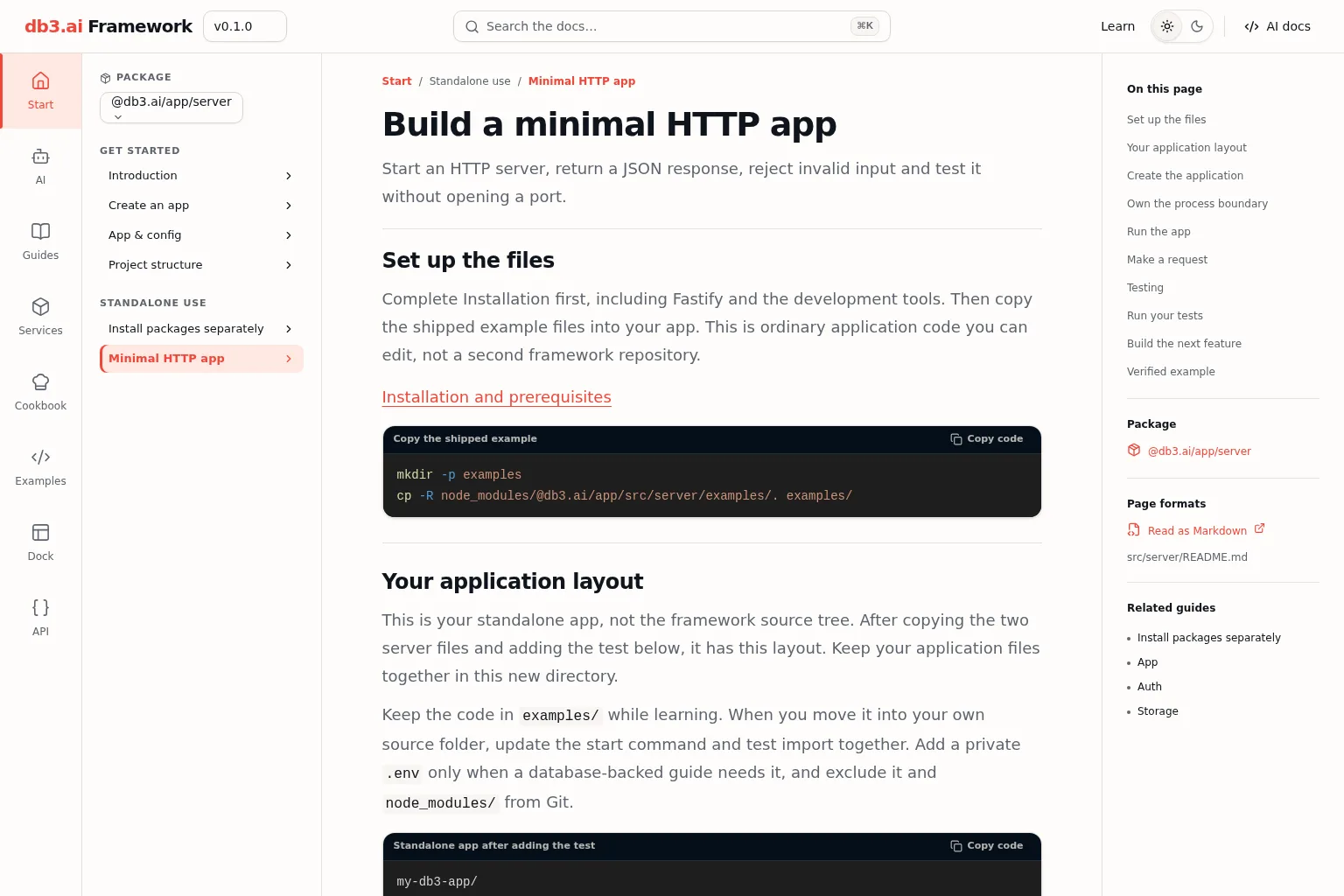
The screenshot shows where the standalone application guide begins: installation prerequisites and the shipped example files. It is a starting point for the following small check, not evidence that the package can be installed from the public npm registry.
Setup: The installation guide currently specifies Node.js 24 or newer for its walkthrough, Fastify 5 and development tools for this HTTP example, plus matching maintainer-supplied preview tarballs for @db3.ai/app and @db3.ai/pure. The packages are not yet available through the guide's proposed public npm install. Follow those instructions, then copy the shipped files into examples/ as shown in the minimal app guide. Save this test as tests/server/layers.test.ts in that standalone project:
import { expect, it } from 'vitest';
import { createFirstServer } from '../../examples/createFirstServer';

it('checks an application route and its input boundary', async () => {
  const server = createFirstServer('Hello');
  try {
    const greeting = await server.inject('/hello/Ada');
    expect(greeting.statusCode).toBe(200);
    expect(greeting.json()).toEqual({ message: 'Hello, Ada!' });

    const invalid = await server.inject(`/hello/${'x'.repeat(81)}`);
    expect(invalid.statusCode).toBe(400);
  } finally {
    await server.close();
  }
});
From the application root, run npx vitest run tests/server/layers.test.ts after completing that setup. This is an adapted test of the documented server factory and injection test, not a claim that we ran it here. It exercises a valid route and invalid input without opening a network listener or connecting to SQL. Do not create competing active App instances in parallel in the same process; close this one before another test creates one. The db3.ai lifecycle documentation specifies that limit. The example does not implement authentication, persistent data, production deployment, or a background worker.
The layers now have distinct owners: Node.js executes the code; Fastify supplies HTTP handling; @db3.ai/app supplies application-level services; your product defines its rules. The distinction is useful even if you choose an entirely different framework. It tells you what to test and operate instead of assuming the word “framework” covers every responsibility.
When is a framework worth adding?
I would choose based on the repeated work, not the size of the hello world snippet. For a script or a deliberately tiny internal endpoint, Node.js standard APIs may be sufficient if someone owns error handling, shutdown, and the limits of its inputs. For several HTTP routes, routing and middleware conventions can pay off quickly. For a multi-user product, inspect identity, permissions, data, files, tests, and what happens to work after a request finishes; an HTTP-only framework does not automatically supply those systems.
Here is a practical check: write down the next endpoint, not just the first one. Will it parse untrusted input? Will it access another user's record? Will a job outlive the connection? Which component owns each decision, and which process has to run? The answers tell you whether you need only Node.js, an HTTP framework, or a broader application layer. They do not justify adding an entire framework to a two-line script by default.
Frequently asked questions
Is Node.js a frontend framework?
No. Node.js is a runtime that can execute JavaScript outside the browser, including servers, scripts, and development tools. A frontend UI library such as React addresses components and user interaction, not the Node.js runtime itself. See the Node.js introduction and React's component guide.
Is Express required to create a Node.js server?
No. The framework-free node:http example above accepts requests and writes responses on its own. Express becomes useful when its route and middleware conventions save work you would otherwise repeat. Node's server example and Express's routing guide show each approach.
Next step
If your team is deciding what belongs above the runtime, build one small endpoint and test its unhappy path before choosing more abstractions. Try the documented db3.ai minimal application and test if you want to examine a TypeScript application layer alongside an HTTP server. Start with its preview installation instructions, then add database-backed or background features only when your product actually needs them.
Sources
- Node.js: Introduction to Node.js
- Node.js v24: HTTP reference
- Node.js: Running TypeScript natively
- Express: Framework overview
- Express 5: Installation
- Express 5: Routing
- Express 5: Response API
- Express 5: Hello World
- React: Quick Start
- db3.ai: Installation and preview status
- db3.ai: Build a minimal HTTP app
- db3.ai: App lifecycle
Recommended Reads
- Node.js Web Frameworks Compared: Express, Fastify, NestJS, AdonisJS, and db3.ai: Compare framework options once you know which layer you need.
- Bodyparser Explained: How Request-Body Parsing Works in TypeScript APIs: Learn what the next POST endpoint needs beyond route matching.
- How to Create TypeScript APIs With Clear Boundaries, Authentication, and Tests: Extend a single HTTP example into a tested, owner-scoped API.